
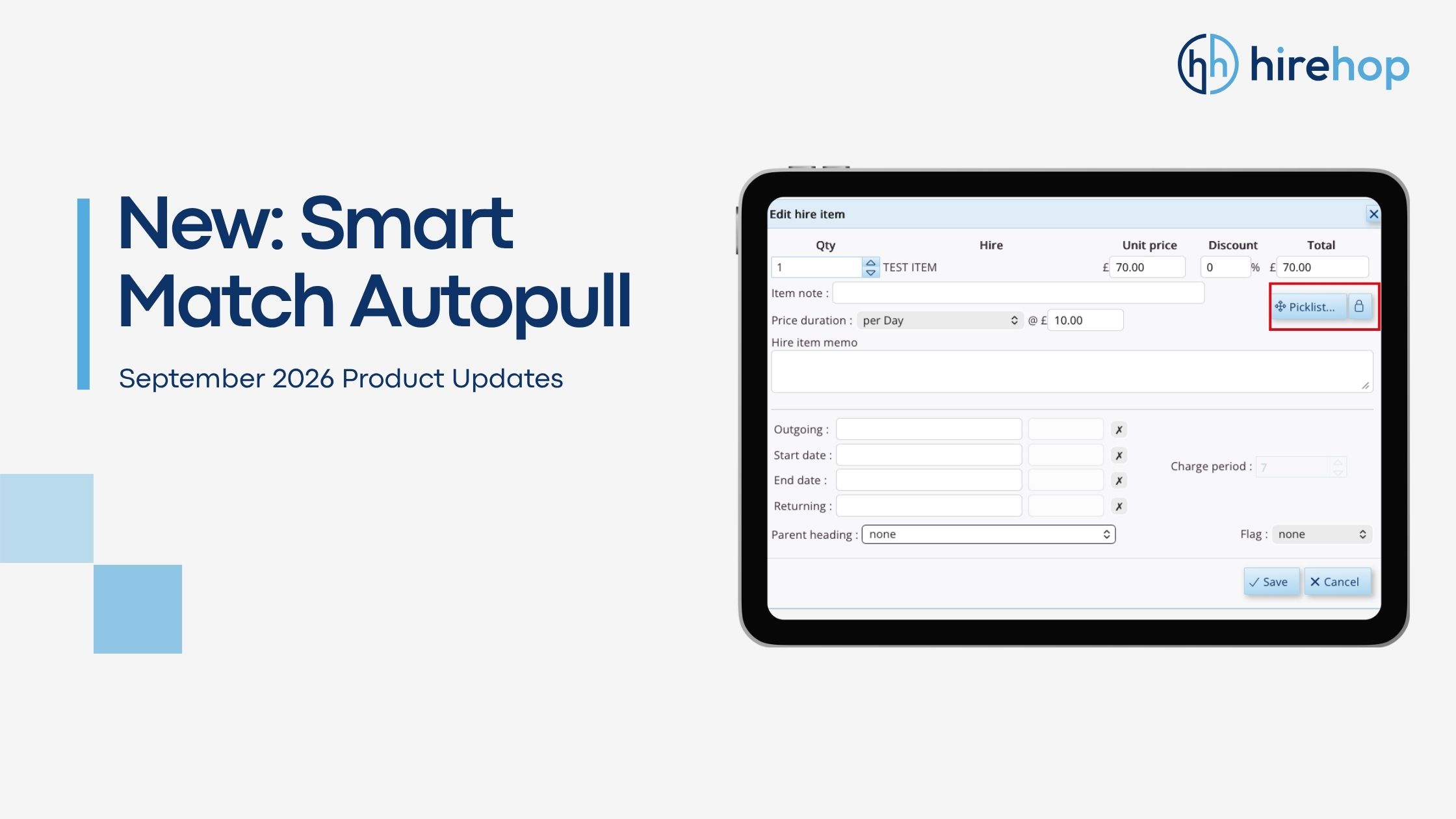
We’ve released a major workflow upgrade to HireHop’s Autopull system! You can now preserve customised accessory quantities and prompt settings when swapping main equipment items in a Job.
Previously, swapping a main hire item for an alternative model reset all associated autopulls back to their default database ratios. With our new Smart Match engine, HireHop eliminates redundant data re-entry by intelligently mapping your custom accessory counts across swapped products.
New Company Setting: Item Swap Autopull Behaviour
Administrators can now choose how HireHop handles accessory lists during product swaps by updating the new company preference:
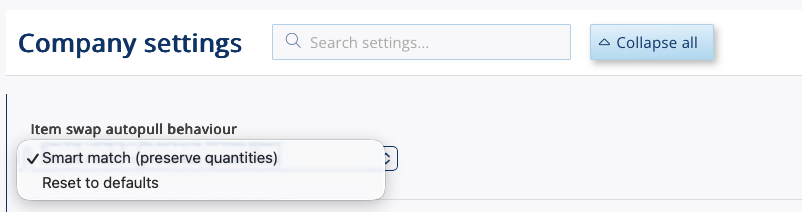
Choose your preferred default behaviour in Company Settings under “Item swap autopull behaviour”.
Smart Match (Preserve Quantities)
Automatically detects matching autopull accessories between the original and replacement products. It preserves your manually adjusted accessory quantities and prompt selections while applying default ratios only to newly added items.
Reset to Defaults
Reverts the replacement product’s autopulls to their standard database ratios and prompt settings. Best for operations requiring strict adherence to default kit lists.
Picklist vs. Padlock: Total Control Over Swapped Pricing
When swapping a parent item in a Job, you have two flexible methods to execute the change while preserving your accessory quantities:
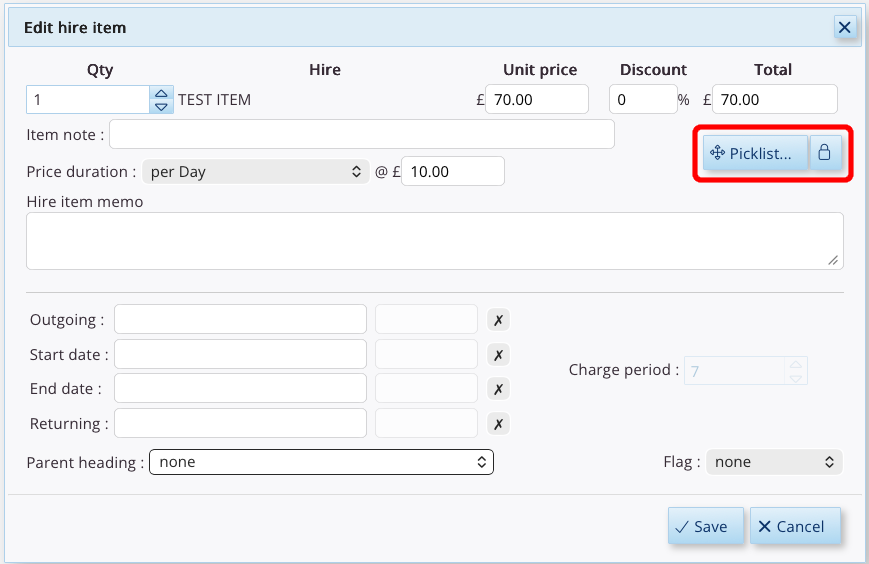
Use the Picklist or Padlock buttons when editing a parent item to control how pricing updates.
The Picklist Button (Picklist...)
Swaps the main product and retains all matched autopull items and custom quantities, while updating accessory prices according to the new parent product’s pricing rules.
The Padlock Button (🔒)
Swaps the main product and preserves matched autopull items, custom quantities, and all existing item prices without modification.
How It Works in Practice
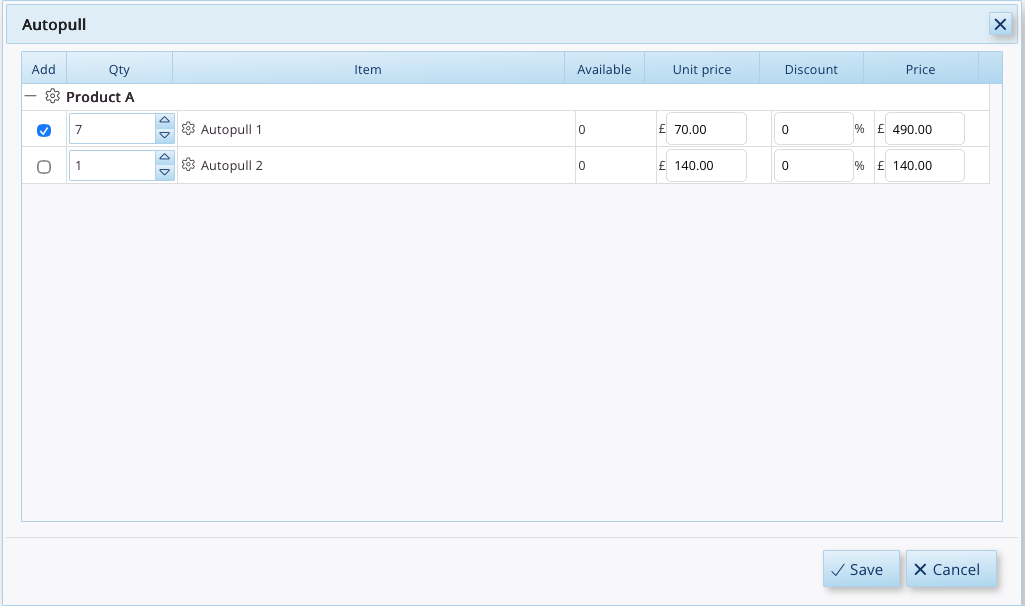
Product A is added to a job with a manually adjusted accessory quantity of 7.
- Original Setup: Product A is added to a job, and you manually increase Autopull 1 from its default ratio up to a custom quantity of 7.
- Option 1 (“Reset to Defaults”): Swapping Product A for Product B clears your custom work and reverts Autopull 1 back to Product B’s default database ratio of 3.
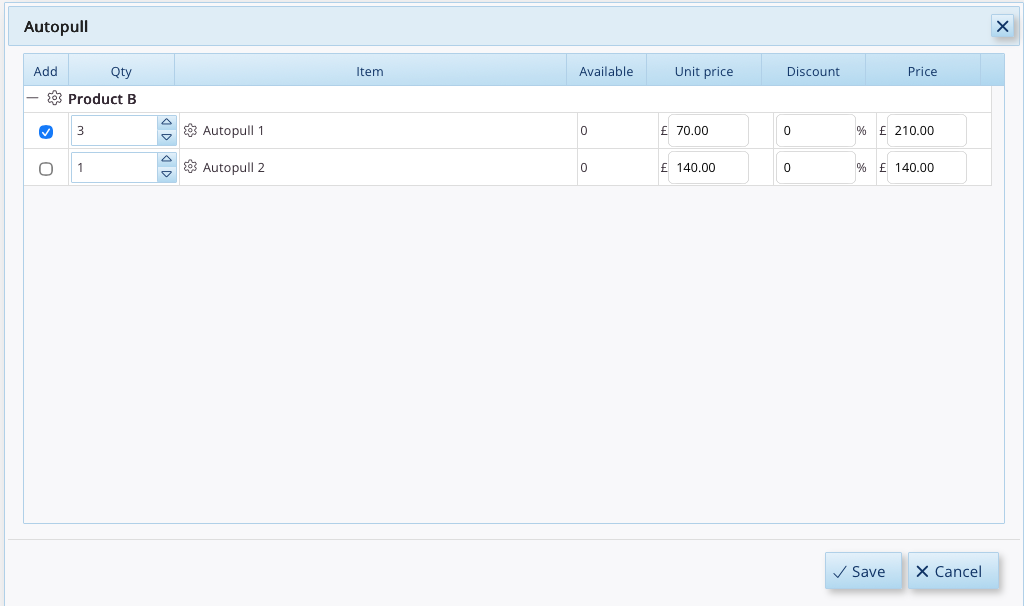
With “Reset to Defaults” selected, swapping to Product B wipes your custom input and resets the quantity to 3.
- Option 2 (“Smart Match”): Swapping Product A for Product B recognises that both products share Autopull 1 and automatically retains your custom quantity of 7!
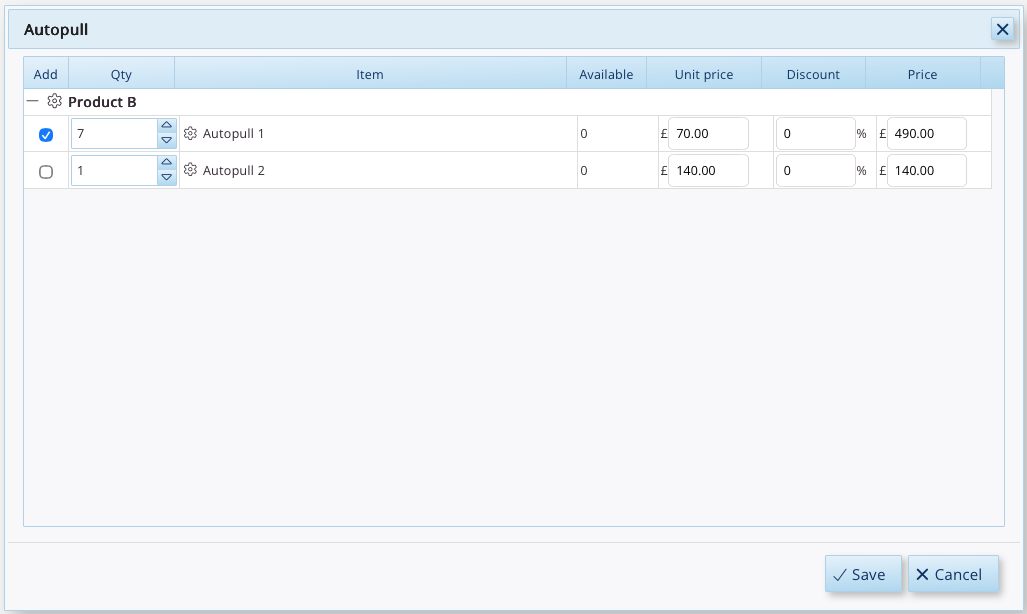
With “Smart Match” enabled, swapping to Product B preserves your custom quantity of 7, saving you time and data entry.